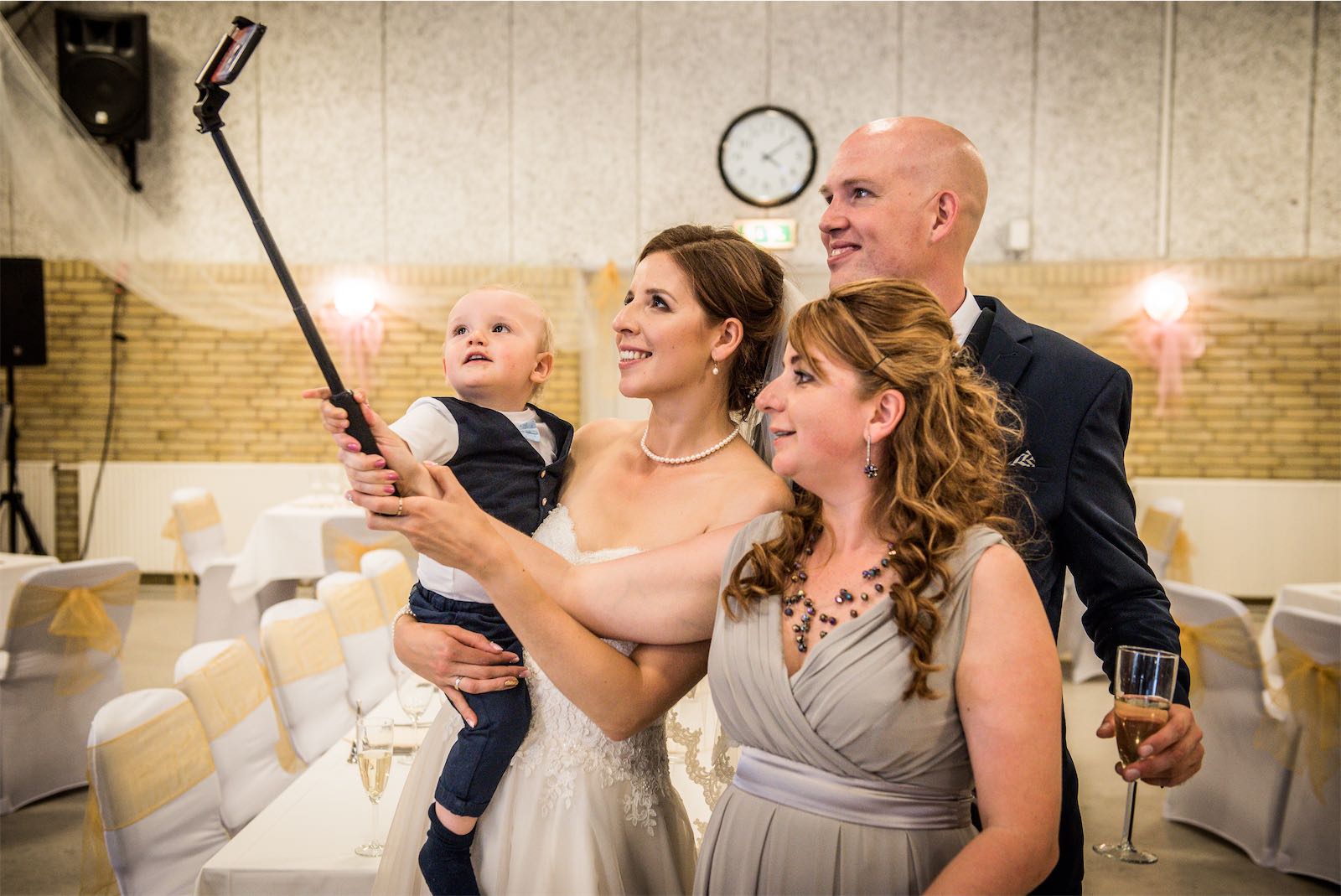




Ultimate Guide to Guest Photo Management
Ultimate Guide to Guest Photo Management
Collecting guest photos at a wedding is easy to want and annoying to actually do. Forty guests, forty phones, and the photos scatter unless you plan for it. This guide breaks the job into five steps:
- Collect photos: use text-based services, apps, hashtags, or physical stations.
- Encourage participation: photo contests, thank-you gifts, or live shoutouts.
- Improve quality: share tips on lighting, composition, and focus.
- Organize: sort photos by event moments and use tools like Google Photos or Dropbox.
- Share the collection: private galleries, social media, or printed albums.
Quick comparison of collection methods
| Method | Ease of Use | Setup Difficulty | Best For |
|---|---|---|---|
| Text-based Services | Very Easy | Simple | All age groups |
| Photo-sharing Apps | Moderate | Medium | Tech-savvy guests |
| Social Media Hashtags | Easy | Simple | Public sharing |
| Physical Collection | Easy | Complex | Traditional events |
Wedding photos of guests: collect guest pictures
Setting up a guest photo collection system
Here is how to set it up:
Choosing a collection method
The main methods, with their trade-offs:
| Method | Accessibility | Setup | Best For |
|---|---|---|---|
| Text-based Services | Easy - No app downloads | Simple | All age groups |
| Photo-sharing Apps | Medium - Requires downloads | Moderate | Tech-savvy guests |
| Social Media Hashtags | Medium - Platform-dependent | Simple | Public sharing |
| Physical Collection Stations | Easy - No tech needed | Complex | Traditional events |
Your choice decides how much sorting you do later. A service that lets you moderate submissions before they land in the album saves real time.
Instructing Guests
Guests cannot use a system they have not heard of. Use QR codes, printed instructions, and verbal reminders, and repeat them.
Here’s an example for text-based services:
"Text your photos to (number). You'll get a confirmation and tips for great shots!"
Tips for clear instructions:
- Add QR codes to reception tables that link to submission details.
- Include photo-sharing instructions in the event program.
- Place stylish signs in high-traffic areas like the bar or guest book table.
- Ask the DJ or emcee to remind guests throughout the event.
- Assign someone to help guests with submissions during the first hour.
Venue setup for photo submission
Put the prompts where people actually linger:
- Reception entrance
- Bar area
- Guest book station
- Restroom mirrors
Signs in a few of those spots, plus the instructions in the program, and most guests will see them at least twice.
Encouraging guest participation
Incentives for photo sharing
Rewards work better than polite requests. A small prize or a public shoutout gets more photos sent. Some ideas:
| Incentive Type | Description | Impact |
|---|---|---|
| Photo Contest | Best candid shot, most creative angle, funniest moment | Sparks friendly competition |
| Thank-you Gifts | Small tokens for top contributors | Promotes consistent sharing |
| Reception Shoutouts | Live recognition of standout photos | Boosts real-time engagement |
Announce the contests and put submitted photos on a screen during the reception. Guests who see their photo up there send more.
Photo prompts
Prompts help too. Give guests specific things to look for:
"Snap the newlyweds' first laugh together"
"Find three generations in one photo"
"Catch an unexpected friendship forming"
Guests shoot with a purpose instead of taking twenty photos of their own table.
Using a wedding hashtag
Pick a hashtag guests can still spell after two drinks. Combine your names, add the year, and check it is not already in use:
Hashtag Creation Guidelines:
- Blend both names or use a playful twist
- Add the year to make it unique
- Check social platforms to ensure it’s not already in use
- Keep it short and simple to spell
Pro Tip: Make your photo-sharing instructions impossible to miss:
- Use stylish signage featuring the hashtag and clear sharing instructions
- Add QR codes that link directly to your chosen platform
Use the hashtag alongside a text-based method (above) and you will catch more of the day. Quality is next.
Managing photo quality and organization
Photo guidelines for guests
A few posted tips make guest photos noticeably better. Four things matter:
| Aspect | Guidelines | Quick Tips |
|---|---|---|
| Lighting | Use natural or bright indoor light | Position subjects near windows or use venue lighting |
| Composition | Frame subjects thoughtfully | Keep backgrounds tidy and uncluttered |
| Stability | Keep the camera steady | Hold with both hands or rest on a stable surface |
| Focus | Ensure images are sharp and clear | Tap the screen to focus on the main subject |
Post them near photo stations or in the program. Better light and focus at the wedding means less fixing later.
Handling low-quality photos
For photos that aren't perfect but still usable, try these quick adjustments:
- Brightness and Contrast: Use mobile apps to brighten or darken images and remove distractions by cropping.
- Color Balance: Fix odd color tints caused by indoor lighting.
That rescues decent photos instead of deleting them. Curation is covered below.
Tools for photo organization
Once the photos are in, these tools keep them organized:
| Stage | Tool | Purpose |
|---|---|---|
| Collection | Your selected service (e.g., ImageShout) | Guests upload photos |
| Sorting | Cloud storage (Dropbox/Drive) | Organize photos by event segment |
| Editing | Adobe Lightroom Mobile | Make basic improvements to chosen photos |
| Backup | Cloud service | Safely store all images |
A service like ImageShout keeps collection and moderation in one place, which is the main reason to use one instead of a shared folder and hope.
sbb-itb-bded652
Curating and sharing the final photo collection
Organizing photos
Sort into folders by moment:
| Event Phase | Folder Structure |
|---|---|
| Pre-ceremony | Getting Ready, First Look |
| Ceremony | Processional, Vows, Recessional |
| Reception | First Dance, Toasts, Party |
| Candid Moments | Guest Interactions, Details |
Creating highlight reels and albums
Turn the keepers into an album or a short highlight video:
| Purpose | Tool Recommendation | Key Features |
|---|---|---|
| Digital Albums | Google Photos/Dropbox | Auto-organizing, easy sharing |
| Slideshows | iMovie or Canva | Smooth transitions, music syncing |
| Quick Edits | Canva | Templates and basic editing tools |
Edit the picks the same way, so the album looks like one event instead of five.
Sharing photos with guests
Once your photo collection is final, pick how to share it:
| Sharing Method | Benefits | Best For |
|---|---|---|
| Private Gallery Links | Secure, controlled access | Full photo collection |
| Social Media Selection | Broad reach, easy interaction | Highlight moments |
| Printed Albums | Physical keepsakes | Close family who prefer tangible photos |
With a service like ImageShout, send guests the private gallery link and one line on how to download their favorites.
Comparison of guest photo management solutions
The trade-off is simple: easy for guests to add photos, still under your control.
Guest photo management solutions table
Some popular options:
| Solution Type | Ease of Use | Key Features | Cost | Ideal Use Case |
|---|---|---|---|---|
| ImageShout | Very Easy | • No app required for texting photos • Private galleries • 3-year hosting |
$75-$150 | Mixed-age groups |
| Dedicated Photo Apps | Moderate | • Advanced editing and sharing • Album organization • Offline access |
$0-$299 | Tech-savvy users |
| Social Media Hashtags | Easy | • Instant sharing • Broad accessibility • Social engagement • Free storage |
Free | Public celebrations |
| Cloud Storage Solutions | Moderate | • High-resolution storage • Folder organization • Sharing controls • Backup options |
$0-$10/month | Large photo collections |
Dedicated photo apps have the most features: real-time sharing, detailed organizing tools. The catch is the download. Plenty of guests will not bother, and their photos are the ones you lose.
Cloud storage is better for big piles of high-resolution photos, with good sharing controls and backups.
Decide based on your guests' comfort with technology, how private you want the album, how many photos you expect, and your budget.
Conclusion
Key points summary
It comes down to four things: pick a method guests will actually use, tell them about it more than once, run a light quality pass, and keep the results organized. A method with no app download gets contributions from guests of every tech level. Clear instructions do most of the rest.
On quality: aim for the moments, not every photo. A smaller pile of good shots beats a huge pile you never sort.
Final thoughts
There is no secret to it. Ease for guests, control for you, and a method that fits the crowd you actually invited.
Candid photos catch the moments nobody staged, including some your photographer never saw. Plan guest photo management before the wedding and you get them. Wing it and you get a trickle.
FAQs
How to gather wedding photos from guests?
There are several ways to collect wedding photos from your guests, each with its own perks depending on the situation.
Digital Options
Services like ImageShout make it easy to share photos instantly via text messages, which is convenient for everyone. Platforms like Google Photos or Dropbox let you create shared folders, making it simple to organize and access all images in one place.
Traditional Methods
If you're looking for offline options, consider setting up photo stations at the venue. These can guide guests on how to share their photos. You can also encourage guests to post their pictures on social media using a custom hashtag, though privacy might be a concern with this approach.
| Method | Key Details |
|---|---|
| Text-Based Services | Easy for everyone but may have a small fee |
| Cloud Storage | Free and organized but may need tech-savvy users |
| Photo Stations | Offers guidance but requires space and staff |
| Social Media Hashtag | Great for live sharing but lacks privacy |
For most weddings, combine the two: a text-based service for collecting, cloud storage for the archive. Guests get the easy option, and you get an organized backup.