7 Ways to Collect Wedding Photos Without Using Apps
7 Ways to Collect Wedding Photos Without Using Apps
Your guests will take a lot of photos at your wedding. Getting those photos back from them is the hard part. Here are 7 ways to collect wedding photos without asking anyone to install an app:
- Disposable cameras
- Instant print cameras
- ImageShout's text message system
- Shared cloud folder
- QR code photo link
- Email system
- Wedding hashtag
Each method has trade-offs:
| Method | Cost | Ease of Use | Photo Quality | Guest Participation |
|---|---|---|---|---|
| Disposable Cameras | $$ | Easy | Low | Medium |
| Instant Print Cameras | $$ | Easy | Medium | High |
| ImageShout | $ | Very Easy | High | High |
| Shared Cloud Folder | Free* | Medium | High | Medium |
| QR Code | $ | Easy | High | High |
| Email System | Free | Easy | High | Medium |
| Wedding Hashtag | Free | Easy | Medium | Low-Medium |
*May require paid upgrades for more storage
You can mix methods. What matters is that guests hear the plan early and the steps are short.
Related video from YouTube
1. Put out disposable cameras
Disposable cameras are the old-school option. Anyone can use one, and guests tend to take the kind of loose, unposed shots a professional photographer misses.
They cost more than people expect. Each camera is about $20-$25, plus $16-$19 for processing and digital scans. Call it roughly $40 per camera once you have the photos back.
To get your money's worth:
1. Pick good cameras
Go for something like the Kodak FunSaver 800. A better camera gives you better pictures.
2. Place them wisely
Put one camera on each dinner table. A short "photo scavenger hunt" list next to it helps get people started.
3. Time it right
They get the most use during drinks or after dinner, when guests are up and mingling.
4. Get creative
Stickers or labels that match your wedding theme are fine. They do not change the photos, but guests notice the cameras more.
Disposable cameras need light. For indoor or evening shots, remind guests to use the flash.
Give cameras to friends or family members you trust. They will make sure the cameras actually get used and come back at the end of the night.
The results are hit or miss. Martin Cheung, a wedding photographer, says: "Unfortunately in my experience the idea is far better than the reality. In practice I think they're a complete waste of money!"
To avoid disappointment:
- Don't expect pro-quality photos
- Plan how you'll develop and digitize the photos after the wedding
- Think of this as a fun extra, not a replacement for pro photography
2. Use instant print cameras
Instant print cameras are the modern version of Polaroids. Guests take a photo and get a print on the spot, which is why people actually use them. They are one of the simplest wedding photo extras to set up.
Set up a photo station
Pick a clear, easy-to-find area for the cameras. Put out simple instructions on camera use and film changes. Jessie Whitfield from MISGIF suggests one camera per 40 guests. For 200 guests, that is about 5 cameras.
Pick user-friendly gear
Cameras like Fujifilm Instax or Polaroid are simple to use. Prices run from $65 to a few hundred dollars per camera. Film packs start around $15.
Get creative
- Add props and prompts
- Use a backdrop matching your wedding theme
- Set up a guest book or display board for photos
Think about power and film
Rechargeable cameras take 25 to 240 shots before they need charging. Cameras on AA batteries take about 100 shots. Film is the cost that adds up, so plan for two shots per adult guest.
Turn it into a guest book
Have guests take a photo, stick one copy in a book, and write a message next to it. Provide tape, markers, and clear instructions.
Wedding planner Angela Olinick says: "I always suggest this. Couples get written memories plus photo memories."
Consider renting
Renting can be cheaper than buying. Companies like Rent Instant Cameras offer packages with ready-to-use cameras, film, and checked batteries.
3. Try ImageShout's text message system
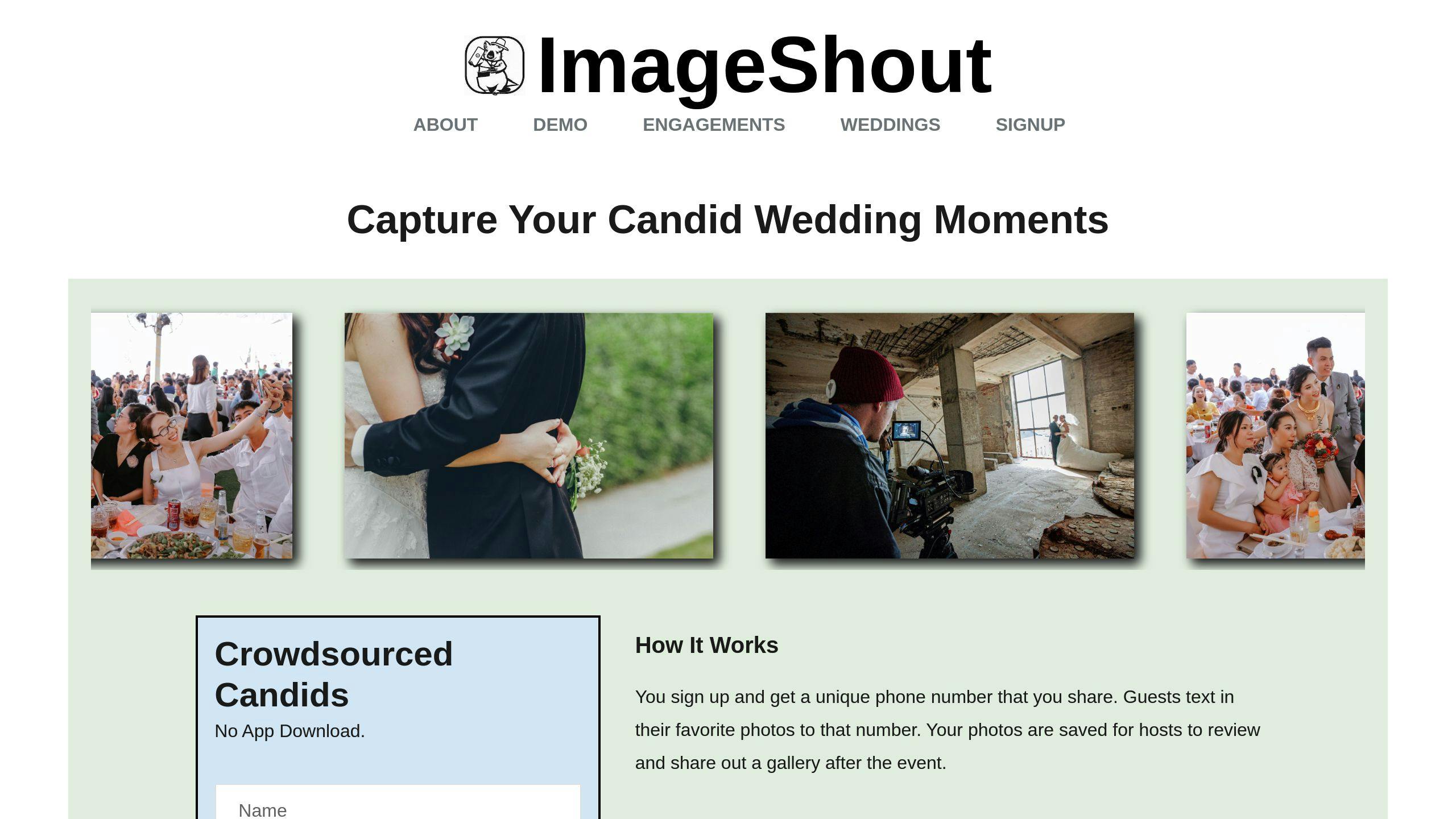
ImageShout gives you a phone number for your event. Guests text their photos to that number and the photos land in your wedding album. There is nothing to download.
- No app downloads
- Works with any phone that sends picture messages
- Works for guests who are not comfortable with new apps or accounts
ImageShout has two wedding plans:
| Plan Name | Price | Photos | Album Hosting | Phone Number Duration |
|---|---|---|---|---|
| Classic Wedding | $75 | Unlimited | 3 years | 3 months |
| Wedding Journey | $150 | Unlimited | 3 years | 1 year before to 1 year after |
Classic Wedding is $75, one payment, for unlimited guest photos. Guests can text photos in for up to 3 months after the wedding, and the album is hosted for 3 years. Wedding Journey is $150 and stretches the window from 1 year before the wedding to 1 year after, which covers the engagement party, bridal shower, and honeymoon as well as the day itself. There is no subscription, no cap on photos, and no guest tiers.
Put the number where guests will see it, on invites and on reception tables: "Snap a pic? Text it to 555-123-4567 for our wedding album!"
You still have to remind people. Have the DJ or wedding planner mention it a couple of times during the reception.
You will also need to sort through the photos afterward. That is the trade-off for getting a lot of them.
Our step-by-step guide on how to collect wedding photos from guests compares every method side by side, with costs.
4. Set up a shared cloud folder
A shared cloud folder is free and most guests have seen one before. It does ask more of them than texting a photo does.
Pick your cloud service
Google Drive and Dropbox are the usual choices. Google Drive gives you 15GB free. Dropbox starts at 2GB. For most weddings, Google Drive's free plan is enough.
Make a wedding folder
Create a folder just for wedding photos and name it something clear, like "Smith-Jones Wedding Photos 2023".
Set up easy sharing
Use DriveUploader to create a simple upload link. Guests can add photos without a Google account.
"You can get this process started by creating a basic Google Drive folder specifically for guest wedding photos", says Cort Honey, a freelance content writer.
Spread the word
- Put instructions on your wedding website
- Include the upload link in thank-you emails
- Ask your DJ to announce it at the reception
Keep it tidy
Make subfolders for different parts of the day (ceremony, reception, dance floor). Ask guests to name their files clearly if they can.
Set a deadline
Give guests a timeframe to upload, like two weeks after the wedding.
Need more space?
| Service | Free Storage | Paid Plan |
|---|---|---|
| Google Drive | 15GB | 100GB for $1.99/month |
| Dropbox | 2GB | 2TB for $11.99/month |
The downside is the sorting. A shared folder has no built-in order, and you will probably end up with a jumble of photos, duplicates, and files named IMG_4021.
Check and organize uploads often, and write a short guide for guests who have not used a shared folder before.
5. Make a QR code photo link
A QR code is a fast way in. Guests point a phone camera at it and land on your album or upload page.
-
Set up a shared online album. Google Photos is free and gives you 15GB of storage.
-
Generate your QR code. Use a free generator like Uniqode. Paste in your album link and adjust the look if you want.
-
Print the QR code on invitations, table cards, and venue signs. A short line under it helps: "Snap, scan, share!"
"A QR Code for people to upload wedding photos links to a folder containing photos, where guests can upload, download, or print photos taken at the wedding", explains Nida, a marketing professional at Uniqode.
No app download and no username to remember. Guests scan and they are in.
A dynamic QR code lets you change where it points after printing. If you switch albums, you update the link instead of reprinting the cards.
The weak spot is older phones. Some still need a separate QR scanner app. Have a short URL printed under the code as a backup.
sbb-itb-bded652
6. Create an email system
A dedicated email address is free and almost everyone knows how to attach a photo to an email.
- Pick an address like "[email protected]"
- Tell your guests about it before the wedding
- Give clear instructions on how to send photos
- Sort incoming photos into folders as they arrive
Jenn Petty from JeLau Photography recommends a wedding-specific email for planning in general:
"One of my biggest suggestions to newly engaged or couples just starting their wedding planning process is to make a wedding-specific email. It's a game-changer for staying organized."
Set up an auto-responder to thank guests for their photos. It confirms their photos arrived.
Matt Rouse from Matt Rouse Films adds:
"For all the type A brides out there, this is a free and easy way to keep all your ducks in a row. Just make sure to give clear instructions to your less tech-savvy guests."
If you want a step up from a plain inbox, WeddingPixie offers an upload page linked to an email system and organizes photos in a timeline. You can also make a QR code for an upload page and display it at the reception.
7. Pick a wedding hashtag
A hashtag is free and easy to announce. It only collects photos from guests who post publicly on social media, which is a smaller group than most couples expect.
-
Mix your names: Combine your names in a catchy way. If you're Emily and Jack, try #EmilyAndJackTieTheKnot.
-
Add your date: This makes it more likely to be unique. #EmilyAndJack615 for a June 15th wedding works.
-
Get creative: Use puns or wedding words. #FromFirstDateToFate can be fun.
-
Keep it short: Aim for under 15 characters. It is easier to remember and type.
-
Check if it's free: Search social media to make sure it's not already used.
Once you've got your hashtag, put it where guests will see it:
- Put it on invitations
- Add it to your wedding website
- Display it at the venue
- Ask your DJ to remind guests
Use your hashtag early, at engagement parties and showers, so guests have seen it before the wedding.
How to set everything up
Before the wedding
1. Pick your method
Choose an approach that fits your guests. A QR code, a shared cloud folder, and an email setup all work, but only if people can follow the steps without help.
2. Test it out
Try the system with family and friends and fix any problems. If you're using ImageShout, send test photos to your number and check your album.
3. Write clear instructions
Keep the steps short. Aim for 3-4 steps at most.
4. Make it visual
Make signs or table cards with the details. If you're using a QR code, make it big and clear.
During the wedding
Ask your DJ or MC to remind guests about photo sharing. A reminder during dinner and one before dancing is usually enough.
Ask a couple of comfortable-with-phones friends to help guests who get stuck.
Share a few photos yourself. Other guests follow the example.
After the party
A week later, send guests a thank-you message and remind them to share any photos they have not sent yet.
Sort the photos you received by part of the day. Once they are organized, share the full collection back with guests.
Using two methods can help. ImageShout for texting plus a shared Google Drive folder gives guests a choice.
"The biggest thing is to include instructions early and remind guests", says Katelyn Wollet, Founder of Katelyn Wollet Photography. "Make it as easy as possible for them to participate."
Which method works best?
There is no single best method. It depends on your guests, your budget, and how much sorting you want to do afterward.
Disposable cameras
- Cost: $20-$25 per camera, plus $16-$19 for processing
- Pros: Capture candid moments
- Cons: Photo quality is hit-or-miss
Instant print cameras
- Cost: $65 to $300+ per camera, film packs start around $15
- Pros: Good for physical guest books
- Cons: Can get pricey for big weddings
ImageShout's text message system
- Cost: $75 one payment for unlimited guest photos, or $150 for the Wedding Journey plan
- Pros: No app downloads needed
- Cons: You'll need to remind guests to use it
Shared cloud folder
- Pros: No cost, familiar to many guests
- Cons: Can get messy without clear instructions
QR code photo link
- Pros: Works well when displayed prominently
- Cons: Older phones might need a separate scanner app
Email system
- Pros: Free, works for all age groups
- Cons: Requires manual sorting of photos
Wedding hashtag
- Pros: Easy to use
- Cons: Public by default, and it misses guests who do not use social media
Here is the same comparison in a table:
| Method | Cost | Ease of Use | Photo Quality | Guest Participation |
|---|---|---|---|---|
| Disposable Cameras | $$$ | Easy | Low | Medium |
| Instant Print Cameras | $$$$ | Easy | Medium | High |
| ImageShout | $$ | Very Easy | High | High |
| Shared Cloud Folder | Free* | Medium | High | Medium |
| QR Code | $ | Easy | High | High |
| Email System | Free | Easy | High | Medium |
| Wedding Hashtag | Free | Easy | Medium | Low-Medium |
*Might need paid upgrades for more storage
If budget is the main concern, start with a free option like a shared folder or a hashtag. If you want the most guests to take part with the least friction, a text system or a QR code link is a better bet.
Final tips
Tell everyone early
Put the instructions on your invites, wedding website, and pre-wedding messages. Guests need time to see them more than once.
"The biggest thing is to include instructions early and remind guests." - Katelyn Wollet, Katelyn Wollet Photography
Keep it simple
- Skip methods that need app downloads
- Use QR codes on signs, table cards, and menus
- Get your MC or DJ to remind guests during the party
Mix it up
1. Text-based system like ImageShout
Guests text photos to a special number. The Wedding Journey plan ($150) covers unlimited photos and keeps your album hosted for 3 years.
2. Instant cameras for physical prints
Put some Fujifilm Instax cameras ($70-$95 each) around. Guests get a print to keep or leave in a guest book.
3. Shared cloud folder
Set up a Google Photos or Dropbox folder for guests who are comfortable uploading files.
Get friends and family involved
Tell your close friends and family the plan and ask them to nudge other guests. A reminder from a person at the table works better than another sign.
Show photos live
A screen showing guest photos during the reception is fun, and it reminds people to keep taking and sending them.
Follow up after
Send a thank-you note with a reminder to share any photos still on guests' phones. Some of the best ones turn up days or weeks later.
FAQs
What's the simplest way for wedding guests to share photos?
A QR code linked to a photo-sharing service is one of the simplest options. No app download is needed.
- Create a QR code that links to a Google Photos, Dropbox, or iCloud album
- Put the QR code on table cards, signs, or in the wedding program
- Guests scan the code with their phones and upload photos directly to the shared album
How can you collect photos from your wedding guests?
- Disposable cameras: Place them on tables for candid shots.
- Instant cameras: Fujifilm Instax cameras ($70-$95 each) let guests snap and print on the spot.
- Shared cloud folder: Set up a Google Drive or Dropbox link for digital uploads.
- Social media hashtag: Create a unique wedding hashtag for Instagram posts.
- Text-based system: Services like ImageShout ($75-$150) let guests text photos to a special number.
Most couples use more than one of these.
How do you gather photos from a wedding?
For a free option, use Google Drive or Dropbox:
- Set up a shared folder in Google Drive or Dropbox
- Create a simple link for the folder
- Share the link with guests before the wedding, on invitations or your wedding website
- Make the link visible at the reception, on table cards or a sign by the entrance
- Get your DJ or MC to remind guests about uploading photos